

Why Your CRM Account Based Marketing Setup Determines Whether ABM Actually Works

A proper CRM account based marketing setup is the difference between a high-performing B2B revenue engine and an expensive spreadsheet exercise that nobody can trace back to pipeline.
Here is a quick overview of how to set up ABM in your CRM:
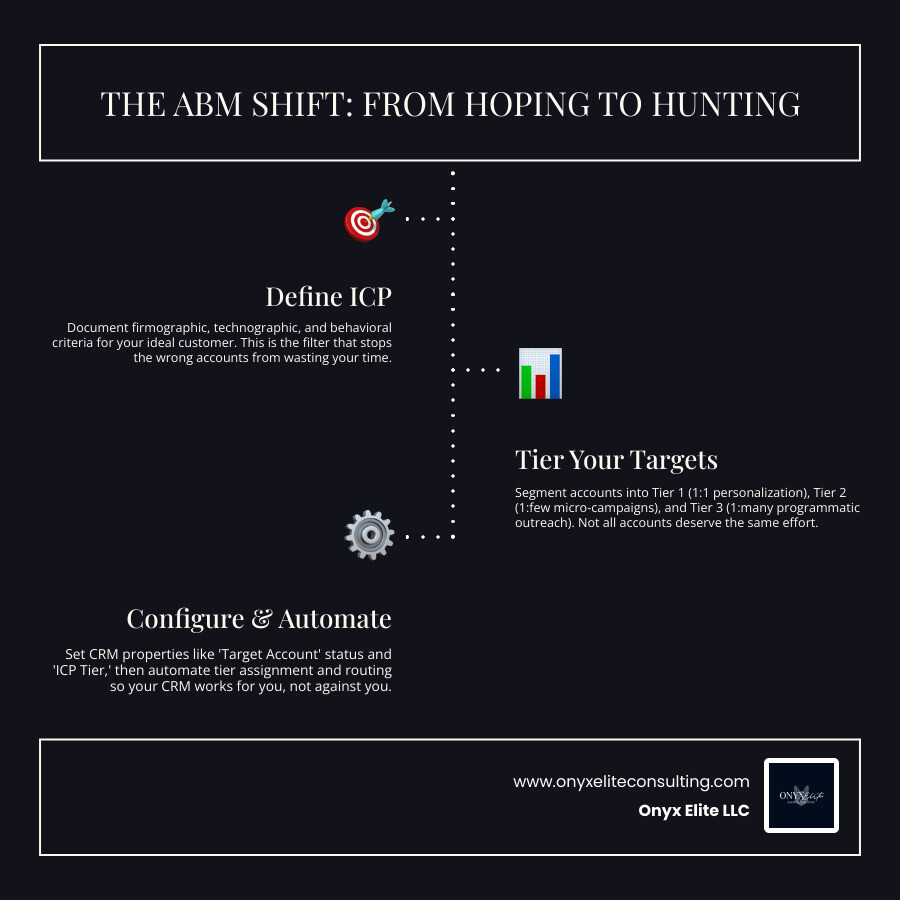
- Define your ICP - Document firmographic, technographic, and behavioral criteria for your ideal customer.
- Build and tier your target account list - Segment accounts into Tier 1 (1:1), Tier 2 (1:few), and Tier 3 (1:many).
- Configure CRM properties - Set up "Target Account" status, "ICP Tier," and "Buying Role" fields on company and contact records.
- Automate tier assignments - Use workflows to assign ICP tiers based on criteria like annual revenue or industry.
- Create segments and activate ads - Build smart lists and sync target account lists to LinkedIn Ads or Google Ads.
- Align sales and marketing - Establish routing rules, SLA timers, and shared dashboards.
- Track account-level metrics - Measure account progression, pipeline influenced, and win rate by tier — not MQL volume.
Most B2B companies still market the old way: cast a wide net, generate leads, hope sales follows up. It rarely works. 97% of leads never become customers, often because the follow-up was too slow, too generic, or never happened at all.
ABM flips that model. Instead of chasing volume, you concentrate your resources on a defined list of high-value accounts that actually match your ideal customer profile. You personalize the outreach, align your sales team around the same targets, and measure account progression — not just clicks.
The challenge? ABM lives or dies on your CRM infrastructure. Without the right properties, workflows, and routing logic configured inside your CRM, even the best ABM strategy stalls before it produces a single qualified opportunity. Organizations that choose the wrong platform or rush the implementation can waste 6 to 12 months of setup time — and poor data integration alone can drop account match rates by 30 to 40%.
I'm Doru Angelo, Founder and CEO of Onyx Elite LLC, and I've guided founders and business leaders through strategic system-building — including CRM account based marketing setup — as part of building scalable, revenue-generating operations. In this guide, I'll walk you through every step so you can stop blasting and start targeting the right way.
Shifting to Account-Based Marketing: Benefits and Challenges
For decades, B2B marketing operated like a giant commercial fishing boat. You threw a massive net into the ocean (traditional demand generation), hauled in whatever swam by, and handed the bucket of "leads" to the sales team. Sales then spent hours filtering out the seaweed and tiny fish, trying to find the one or two high-value accounts actually worth talking to.
In 2026, that "spray and pray" model is officially obsolete. B2B buyers have changed. They do up to 57% to two-thirds of their research online before they ever speak with a sales representative. If they encounter generic, unhelpful marketing blasts, they simply tune out.
Furthermore, the modern B2B buying committee has expanded dramatically. On average, a B2B purchase decision now involves a group of 6 to 10 decision-makers — and for enterprise Fortune 1000 accounts, that number can balloon to an average of 22 people (including 13 internal stakeholders and 9 external influencers). 94% of sellers report they sell to groups of three or more stakeholders. To win these deals, you cannot rely on a single lead filling out a form. You must engage the entire buying committee.
This is why we shift to Account-Based Marketing (ABM). ABM treats individual high-value accounts as markets of one. Instead of starting with a broad audience and filtering them down, you start at the bottom of the funnel. You identify the specific companies you want to win, map out their buying committees, and coordinate highly personalized campaigns to engage them.
While 87% of B2B marketers state that ABM delivers a higher ROI than other marketing approaches, executing it is not without challenges. Here is a breakdown of the key benefits and obstacles:
The Key Benefits of ABM
- Higher ROI: By concentrating your budget on accounts with the highest propensity to buy, you stop wasting ad spend on unqualified traffic.
- Stronger Sales and Marketing Alignment: Both teams work from the exact same list of target accounts, eliminating the classic finger-pointing over "low-quality leads."
- Shorter Sales Cycles: Engaging multiple decision-makers simultaneously prevents deals from stalling. In fact, aligned ABM programs compress enterprise sales cycles by a median of 58 days.
- Larger Deal Sizes: Targeting enterprise-level accounts with tailored messaging naturally leads to higher average contract values (ACV), often lifting deal sizes by up to 40%.
The Core Challenges of ABM
- Implementation Complexity: Setting up the backend plumbing in your CRM can be daunting. A poor setup results in wasted time and fragmented buyer experiences.
- Data Decay and Matching Issues: Standard CRM setups are lead-centric, meaning they struggle to connect individual leads to their parent company records. Average CRM data decays at a rate of 30% per year, and poor lead-to-account matching can leave sales reps completely blind to active opportunities.
- Resource Intensity: Creating personalized content paths for different tiers and buying roles requires dedicated operational planning and strong brand positioning, which we discuss in The New Era of Brand Authority.
To help visualize this shift, let's compare the operational mechanics of traditional inbound marketing versus an account-based model:
| Operational Element | Traditional Inbound Marketing | Account-Based Marketing (ABM) |
|---|---|---|
| Primary Focus | Individual Leads (MQLs) | Target Accounts (TAL) & Buying Groups |
| Target Audience | Broad demographic segments | Specific named high-value companies |
| Sales & Marketing Sync | Linear handoff (Marketing -> Sales) | Continuous, parallel collaboration |
| Primary Metric | Lead volume and cost-per-lead | Account progression and pipeline velocity |
| Tech Stack Role | Transactional database | Dynamic orchestration hub |
To explore the operational foundation of this strategy further, refer to The Complete Execution Guide to ABM, which details how modern revenue operations support these complex motions.
Step-by-Step CRM Account Based Marketing Setup
The absolute worst way to start an ABM program is by building a target account list on a static spreadsheet, running some isolated LinkedIn ads against it, and hoping for the best. This is what we call "ABM theater." Six months later, nobody can tell you whether those ads generated actual pipeline or just vanity impressions.
To build a true, scalable account-based engine, the system must live natively inside your CRM. This ensures that every ad click, website visit, email open, and sales conversation is recorded on a single, shared timeline.
Whether you are configuring HubSpot, Salesforce, or Zoho, the core steps to build this foundation remain the same. If you are leveraging HubSpot's ecosystem, you can accelerate your setup by reviewing our HubSpot Marketing Automation Setup guide, which runs parallel to the official instructions on how to Set up account-based marketing in HubSpot.
Let’s dive into the technical execution of choosing, configuring, and automating your CRM for ABM.
Selecting the Right CRM Platform for ABM
Before you write a single line of automation code, you must evaluate if your current CRM can support an account-centric data model. Many legacy CRMs are fundamentally built around a lead-centric model. In a lead-centric CRM, when "John Smith" from "Target Company A" fills out a form, his record exists as an isolated lead. Your sales rep might call him, completely unaware that another AE is already working an active $100,000 deal with John’s colleague on the same account.
For ABM to work, your CRM must support lead-to-account matching. This is the process of automatically linking incoming lead records to their corresponding company accounts. While standard domain-based matching (e.g., matching anyone with a @company.com email to the Company record) is a start, it often fails. It misses subsidiaries, variations in company names (e.g., "ABC Corp" vs "ABC Corporation"), and leads who use personal email addresses.
To prevent this, look for CRMs or third-party add-ons that support fuzzy matching logic. Fuzzy matching analyzes multiple data points — company name variations, phone numbers, addresses, and parent-child hierarchies — to ensure a 95% or higher match rate.
Whether you are looking at enterprise platforms or evaluating a Simple CRM Small Business setup, or even configuring a specialized CRM for Service Businesses, make sure your platform supports these critical features:
- Native Account-Contact Association: The ability to map multiple contacts to a single company record and assign distinct roles.
- Robust Custom Properties: Flexibly creating custom fields at both the contact and company levels.
- Custom Views and Dashboards: Enabling sales reps to filter target accounts by engagement level and tier.
- Bidirectional Integration Capabilities: Seamlessly syncing data with marketing automation, ad networks, and intent platforms without causing "schema drift" (broken fields).
- For teams using Zoho's ecosystem, you can achieve remarkable results without buying expensive external software by following our guide on How to Use Zoho CRM for ABM.
Technical Configuration for Your CRM Account Based Marketing Setup
Once your platform is selected, it’s time to configure the custom properties that will house your ABM data. Think of this as preparing the digital filing cabinet. If your data structure is messy, your automation will fail.
To get started, activate the native ABM features in your CRM if they exist (for instance, HubSpot has a toggle in portal settings that automatically creates several default fields). If your CRM doesn't have these, you can easily create them manually.
At a minimum, your crm account based marketing setup requires the following custom properties:
1. Company-Level Properties
- Target Account (Boolean/Checkbox): A simple
TrueorFalseflag. This is the master switch. When set toTrue, the company record is pulled into your target account views, custom ad audiences, and reports. - Ideal Customer Profile Tier (Dropdown/Picklist): Typically divided into three tiers:
- Tier 1 (1:1 Strategic): High-value accounts (e.g., target ACV $250K+) that receive completely bespoke, custom campaigns.
- Tier 2 (1:few): Mid-value accounts clustered by industry or common pain points.
- Tier 3 (1:many): A broader list of accounts targeted programmatically using dynamic automation.
- Account Engagement Score (Number): A composite score that aggregates all activities (website visits, email clicks, event attendance) from all contacts associated with that company.
- Account Phase/Stage (Dropdown): Tracks where the account is in the ABM journey (e.g., Awareness, Considering, Converting, Closed-Won, Nurture).
2. Contact-Level Properties
- Buying Role (Multi-select/Dropdown): Identifies the specific role a contact plays in the decision committee. Standard options include Decision Maker, Budget Holder, Champion, Technical Evaluator, Influencer, and Blocker.
- ABM Contact Segment (Dropdown): Helps categorize contacts for personalized email sequences based on their professional persona.
If you are using HubSpot, you can easily manage and edit these fields by following the official documentation on how to Manage HubSpot ABM Properties. Aim for at least 95% data completeness in these critical fields before launching any active campaigns.
Automating Workflows Within Your CRM Account Based Marketing Setup
With your properties configured, you must automate the data updates. Sales reps should not have to manually check boxes and assign tiers for every new company that enters your database. Instead, let your CRM do the heavy lifting.
You can set up automated workflows to dynamically update company properties based on objective firmographic and technographic criteria. For example, let's look at how you can automate your ICP tiering:
By leveraging workflows, you ensure that high-value prospects are flagged the instant they enter your CRM. This level of automation is critical to keeping your data clean and your sales team agile. You can explore deeper workflow strategies in our Marketing Automation Workflow Guide 2026 and see how to structure these systems at scale in our Marketing Automation Services Guide 2026.
Orchestrating and Measuring Your CRM ABM Campaigns
Now that your CRM foundation is structurally sound, you are ready to turn on the engine. This is where we transition from static data storage to active, multi-channel orchestration.
Your CRM should act as the central nervous system, sending signals to and receiving data from your entire marketing technology stack.
To coordinate these efforts seamlessly, we must integrate external intent data and advertising platforms, while establishing shared dashboards to keep sales and marketing aligned. For enterprise Salesforce users, you can find excellent structural templates in the Salesforce ABM Strategy Guide, and learn how to connect these systems effectively by reading our CRM Marketing Automation Integration Guide and Marketing Automation Integration manuals.
Integrating the ABM Tech Stack and Personalizing Engagement
An effective ABM campaign relies on two primary external inputs: intent data and targeted advertising networks.
1. Activating Intent Data
Intent data platforms (like Bombora, G2, or 6sense) track web-browsing behavior across the internet. They alert you when a target company is actively researching topics related to your product.
By integrating these platforms with your CRM, you can trigger real-time sales plays. For example, if a Tier 1 target account suddenly shows a spike in research for "cloud security compliance," your CRM can automatically:
- Update the account's engagement score.
- Alert the assigned AE via Slack or email.
- Drop the account's contacts into a specific email sequence addressing compliance.
2. Syncing Targeted Ad Networks
Instead of running broad, expensive ad campaigns, you can sync your CRM's target account lists directly to networks like LinkedIn Ads. Because your CRM knows exactly who is in Tier 1, Tier 2, or Tier 3, you can serve highly specific ads.
Even better, you can use contact-level properties to tailor the creative. If a contact's Buying Role is marked as Budget Holder, serve them ads focused on ROI and cost savings. If their role is Technical Evaluator, show them ads highlighting security certifications and API integrations.
To prevent ad fatigue and protect your budget, always set up exclusion workflows to automatically suppress active opportunities (deals in progress) from top-of-funnel awareness ads. To dive deeper into the software that makes this possible, explore our guide on Lead Nurturing Automation Tools.
Aligning Sales and Marketing Through Dashboards and Metrics
The ultimate test of a crm account based marketing setup is sales adoption. If your sales team doesn't look at the data, the program is dead.
To drive adoption, build customized account overviews and shared dashboards directly inside your CRM. Sales reps should have a "Target Accounts Home" view where they can instantly see:
- Which of their assigned target accounts are currently showing high intent.
- The last touchpoint (e.g., "John Smith visited the pricing page yesterday at 2:00 PM").
- Coverage gaps (e.g., "We only have 1 contact mapped for this Tier 1 account; we need at least 4").
To keep both teams focused on the right goals, stop reporting on vanity metrics like clicks, impressions, and raw MQL volume. Instead, configure your CRM dashboards to track account-level progression metrics:
- Account Engagement Rate: The percentage of target accounts actively engaging with your content.
- Buying Committee Coverage: The number of key buying roles identified and engaged within each target account.
- Pipeline Velocity: How quickly target accounts move from first touch to closed-won.
- Win Rate by Tier: Comparing success rates across Tier 1, 2, and 3 accounts to optimize your budget.
If you are a HubSpot user, you can find step-by-step instructions on building these visual reports by reviewing the guide on How to Set Up ABM Dashboards in HubSpot. Keeping your metrics transparent and highly visible across the organization is a core driver of growth, as we outline in Visibility Is Your Growth Engine.
Frequently Asked Questions About CRM ABM
Setting up an account-based engine is a significant operational shift. Here are answers to the most common questions we encounter during implementations.
How long does it take to see results from a CRM ABM setup?
ABM is a long-term play, especially when targeting enterprise accounts with complex buying committees. While traditional lead generation can produce quick, low-quality form fills, a robust ABM setup requires a realistic ramp-up period:
- Months 1 to 3 (Leading Indicators): You will see a 20% to 40% lift in target account engagement, website traffic from target domains, and successful connections with key decision-makers.
- Months 3 to 6 (Pipeline Impact): Qualified pipeline opportunities will begin to appear in your CRM, along with a noticeable compression in your average sales cycle.
- Months 6 to 12 (Revenue Impact): Closed-won revenue impact and increased average deal sizes become clear, allowing you to accurately calculate your program's ROI.
What is the difference between 1:1, 1:few, and 1:many ABM?
These three approaches (often called the ABM Tiers) balance personalization with resource constraints:
- 1:1 ABM (Strategic ABM): Treats each company as a market of one. You create completely bespoke content, custom landing pages, and highly tailored sales outreach for a very limited list of high-value accounts (typically 5 to 25 accounts per AE, with a target ACV of $250K+).
- 1:Few ABM (ABM Lite): Clusters small groups of target accounts (usually 20 to 100) that share similar industry challenges, technographics, or pain points. You run semi-custom campaigns tailored to that specific cluster (target ACV of $50K to $250K).
- 1:Many ABM (Programmatic ABM): Leverages your CRM's automation capabilities to deliver scale. You target a larger list of 200 to 1,000+ accounts, using dynamic content rules to automatically insert company names, industries, and customized use cases into ads and email sequences (target ACV of $25K to $100K).
Why do many CRM-based ABM programs fail?
When ABM programs stall, the failure is almost never due to a poor creative strategy. Instead, it is almost always caused by a breakdown in the backend operational plumbing:
- Stale target list: Building a list once and never updating it. Target lists should be dynamic and re-validated quarterly based on active intent signals and firmographic changes.
- Treating ABM as "marketing-only": If your sales team is not actively involved in selecting the target accounts and executing coordinated outreach, they will ignore the CRM tasks and alerts.
- Poor lead-to-account matching: If your CRM cannot automatically link incoming leads to their parent company records, your data becomes fragmented, leading to duplicate outreach and missed opportunities.
Conclusion
A successful crm account based marketing setup requires moving past the outdated strategy of blasting generic messages to broad audiences. It demands a disciplined, operational approach to your data, your systems, and your team alignment.
By treating your CRM as the central engine of your B2B go-to-market strategy, you can target the right accounts, engage the entire buying committee, and drive predictable, sustainable revenue growth.
At Onyx Elite Consulting, we specialize in helping businesses bridge the gap between complex technology and strategic execution. From our offices in West Hartford, Connecticut, we partner with growth-minded leaders to design custom CRM architectures, automate complex marketing workflows, and build integrated sales engines that scale.
If you are ready to upgrade your operations, avoid costly implementation mistakes, and build a high-performing revenue engine, explore our Onyx Elite Consulting Services or contact us today to schedule a strategic consultation.