
Stop the Spreadsheet Madness with These Simple CRMs
Still Managing Customers in a Spreadsheet? Here's What to Use Instead

Simple CRM small business tools are the fastest way to replace chaotic spreadsheets with a system that actually works. Here are the top options to know:
| CRM | Best For | Free Plan | Starting Price |
|---|---|---|---|
| HubSpot CRM | All-in-one teams | Yes | Free |
| Less Annoying CRM | Simplicity-first users | No | ~$15/user/month |
| Bigin by Zoho | Micro businesses | Yes (limited) | ~$7/user/month |
| Capsule CRM | Small sales teams | Yes (2 users) | ~$18/user/month |
| OnePageCRM | Budget-conscious teams | No | ~$9.99/user/month |
If you've ever lost a lead because it was buried in a spreadsheet row — or missed a follow-up because the note was in your inbox — you already know the problem.
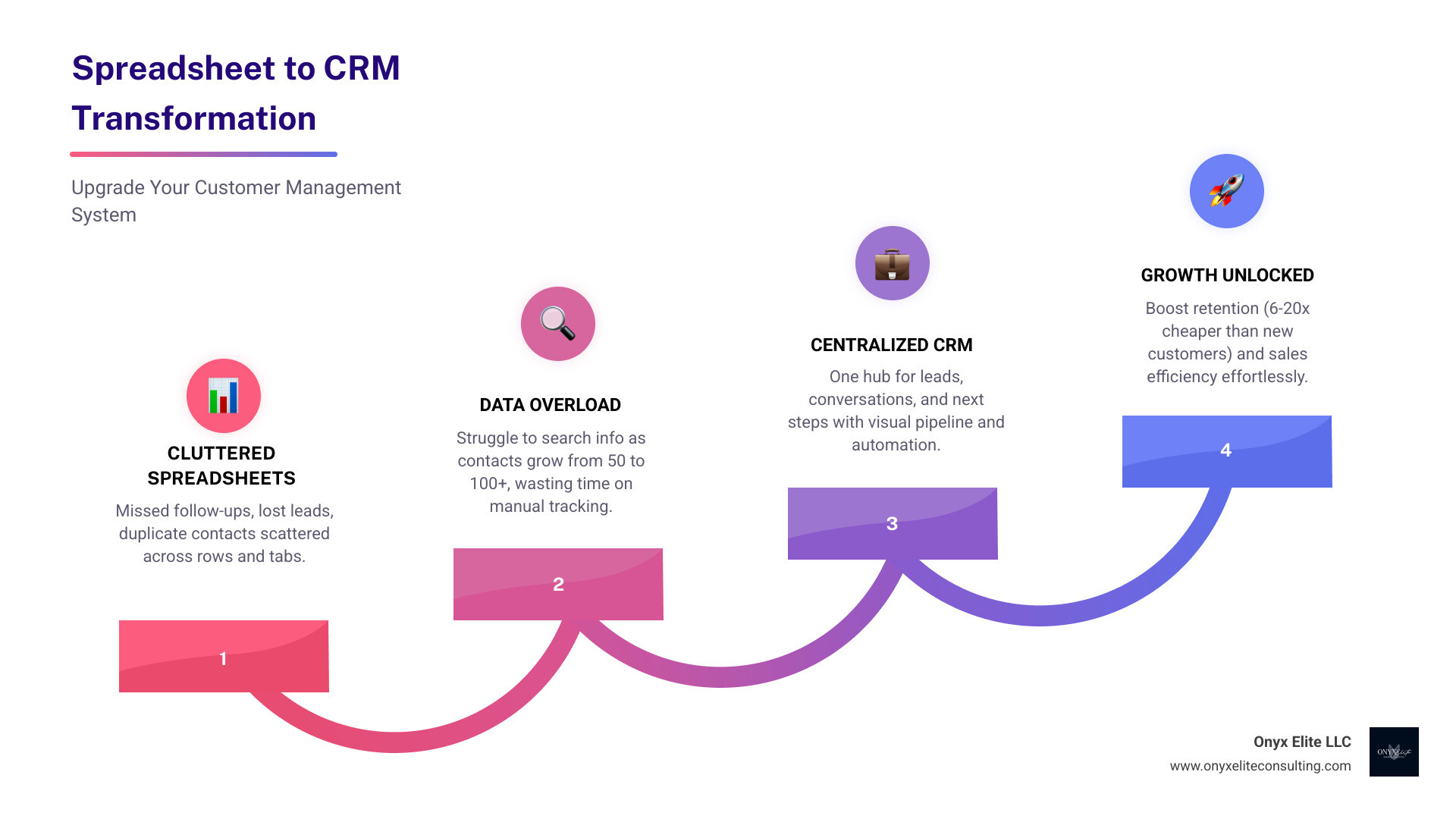
Managing customers in a spreadsheet feels organized at first. Then you hit 50 contacts. Then 100. Suddenly you're spending more time searching for information than actually serving your clients.
A simple CRM fixes this by giving you one central place to track every lead, every conversation, and every next step — without the learning curve of enterprise software built for teams of 500.
The numbers back this up: customer retention costs six to 20 times less than acquiring new customers. A CRM doesn't just organize your data — it actively helps you keep the clients you already have.
I'm Doru Angelo, Founder & CEO of Onyx Elite LLC, and over my decade-plus of business consulting experience I've helped founders build scalable systems — including implementing simple CRM small business solutions that eliminate operational chaos and drive real growth. In this roundup, I'll walk you through exactly what to look for and which tools are worth your time.
Why Your Small Business Needs a Simple CRM
At Onyx Elite Consulting, we often see businesses in West Hartford and across Connecticut hit a "growth ceiling." This usually happens when the manual methods that worked for five clients start to break under the weight of fifty.
The primary reason to adopt a simple CRM small business platform is customer retention. Research shows that customer retention costs six to 20 times less than acquiring new customers. When you have a centralized platform, you aren't just storing phone numbers; you're building a "digital memory." You can see exactly where a customer is in the buying process, what they last bought, and when they last expressed a concern.
Furthermore, switching to a SaaS (Software as a Service) model can lead to a 20% to 50% reduction in the total cost of ownership (TCO). This is largely due to lower infrastructure and personnel costs compared to managing data manually or using outdated on-premise systems. A well-implemented CRM should pay for itself within 3–6 months through improved sales efficiency and better lead conversion.
We believe that a CRM is the "central hub" of your operations. It connects your marketing efforts to your sales results, ensuring no lead falls through the cracks. For those looking to dive deeper into how these tools fit into a larger strategy, we recommend exploring our more info about automation and process improvement.
Essential Features of a Simple CRM Small Business Tool
When you're evaluating software, it’s easy to get distracted by "shiny object syndrome." You don't need a system that can launch a rocket; you need a system that helps you sell more effectively. Here are the non-negotiables:
- Contact Management: This is your digital rolodex on steroids. Every email, call note, and meeting should be linked to the contact.
- Pipeline Visibility: You need a visual way (like a Kanban board) to see your deals. Are they "Qualified," "In Negotiation," or "Closed"?
- Task Automation: The CRM should remind you to follow up. If a lead hasn't been contacted in three days, the system should flag it.
- Email and Accounting Sync: Your CRM must talk to your inbox (Gmail/Outlook) and your accounting software (QuickBooks/Xero). This prevents double data entry.
- Mobile Accessibility: For our Connecticut clients who are always on the move, a dedicated mobile app is essential for logging notes immediately after a client meeting.
- AI Lead Scoring: Modern CRMs now use AI to tell you which leads are "hot." AI and GenAI could reach 30% to 50% productivity improvements in organizations that reshape their functions around these tools.
Top Free and Low-Cost CRM Options
For startups and small teams, budget is a major factor. The good news is that the "Big Three" of simple CRMs offer incredible value:
| Feature | Bigin by Zoho | Less Annoying CRM | HubSpot CRM |
|---|---|---|---|
| Primary Strength | Micro-business focus | Extreme ease of use | Massive scalability |
| Key AI Tool | Zia (Basic) | Minimalist (No AI clutter) | Chatbot & Lead Insights |
| Setup Time | < 30 minutes | < 15 minutes | 1-2 hours (deeper) |
Bigin by Zoho CRM is designed specifically for small businesses that find the full Zoho CRM too complex. It’s light, agile, and focuses on "less is more." It even includes built-in telephony features so you can call clients directly from the app.
Less Annoying CRM lives up to its name. They offer a flat monthly fee with no confusing tiers or long-term contracts. It’s a minimalist's dream, focusing entirely on lead and contact management without the "annoying" buzzwords.
HubSpot CRM is the heavyweight champion of free tools. It provides essential functionality like meeting scheduling and lead qualification for free. As you grow, you can upgrade to unlock AI tools that personalize your marketing campaigns.
Capsule CRM is another fantastic choice that integrates project management. If your sales process involves a lot of post-sale tasks, Capsule’s "Tracks" feature helps you manage those projects without needing a separate tool.
Finally, OnePageCRM is a real bargain. They bundle extra tools like a Sales Dialer, Web Forms, and even an AI Sales Route Planner into their standard plans, offering high value for teams that need to stay lean.
Choosing the Best Simple CRM Small Business Owners Love

Choosing software is a strategic decision. You need to balance your current needs with your future ambitions. As a West Hartford business, you might prioritize tools that offer excellent remote support and high-quality mobile apps for your field team.
When we consult with local firms, we use a weighted framework for evaluation:
- Ease of Use (40%): If the team finds it difficult, they won't use it.
- Essential Features (30%): Does it have the syncs you need?
- Scalability (20%): Can it grow with you for the next 2-3 years?
- True Cost (10%): Are there hidden fees for storage or extra users?
For businesses with specific requirements, there are several "best-of-breed" options. Salesforce Starter Suite is a competitively priced version of the world's leading CRM, built specifically to give small teams a unified view of sales and service. If you are already in the Microsoft ecosystem, Avid CRM integrates directly into Outlook, making the transition almost invisible to your staff.
How to Migrate to a Simple CRM Small Business Platform
The biggest hurdle isn't buying the software—it's moving the data. We recommend a 5-day migration process to keep your momentum:
- Day 1: Data Cleaning. Go through your spreadsheets. Delete duplicates. Fix typos. A CRM is only as good as the data you put in it.
- Day 2: Small Start. Import your top 100 "active" contacts first. Don't try to move 10 years of history on day one.
- Day 3: Full CSV Import. Most simple CRM small business tools allow you to upload a CSV file. Map your columns (Name, Email, Phone) to the CRM fields.
- Day 4: Tool Connection. Sync your email and calendar. This is where the magic happens, as the CRM starts pulling in your interaction history automatically.
- Day 5: Training. Show your team how to add a contact and move a deal through the pipeline.
For more detailed guidance on refining your internal operations during this transition, see our guide on business process improvement.
Ensuring High Team Adoption and Usage
A CRM that no one uses is just an expensive digital filing cabinet. To ensure your team actually adopts the tool, you must lead by example.
Start minimal. Don't turn on every feature at once. Focus on the "why"—show your sales reps how the CRM saves them time by automating their follow-up reminders. Celebrate wins by pulling your weekly sales reports directly from the CRM during meetings. This makes the tool the "single source of truth" for the company.
When usage becomes mandatory but supported with training, it stops being "extra work" and starts being the way you do business. For insights on building a culture of excellence, check out our thoughts on lean operational excellence.
Avoiding Common CRM Implementation Mistakes
Even with the best simple CRM small business software, things can go wrong. Here are the pitfalls we help our clients avoid:
- Over-Customization: Small businesses often try to make the CRM do too much. Stick to out-of-the-box features as much as possible to keep things simple.
- Poor Data Hygiene: If you don't standardize how data is entered (e.g., "CT" vs "Connecticut"), your reporting will be a mess.
- Ignoring Mobile: If your team is in the field but only uses the desktop version, they will forget to log important details.
- Lack of Integration: If your CRM doesn't talk to your accounting or email marketing tools, you're just creating another "data silo."
- Hidden Fees: Always check if the "low price" includes enough storage and all the integrations you need.
Building these systems correctly from the start is vital for long-term success. You can learn more about this in our article on 5 internal systems that drive scalable growth for service-based businesses.
Frequently Asked Questions about Simple CRMs
How quickly can I set up a simple CRM?
A cloud-based simple CRM small business platform can be operational in less than a day. If you have your contacts ready in a CSV file, the actual import takes minutes. The rest of the day is spent customizing your pipeline stages and connecting your email.
How much should a small business expect to spend?
Pricing usually ranges from $10 to $50 per user, per month. Some tools, like Less Annoying CRM, offer a flat fee, while others like HubSpot have robust free tiers. The goal is for the CRM to pay for itself within 3–6 months through increased efficiency.
What role does AI play in modern simple CRMs?
AI is no longer just for enterprise giants. Tools like Freshsales use "Freddy AI" to analyze website visits and email engagement to predict which deals are most likely to close. Other CRMs use AI for "Email Assistance" to help you draft personalized follow-ups in seconds.
Conclusion
The shift from "spreadsheet madness" to a simple CRM small business system is one of the most significant steps a founder can take toward operational excellence. It transforms your business from a collection of "to-do" lists into a streamlined, data-driven machine.
At Onyx Elite Consulting, we specialize in helping businesses in West Hartford and throughout Connecticut achieve sustainable growth. We don't just recommend software; we help you integrate it into a strategic plan that drives real results. Whether you need help with brand development or operational scaling, our team is here to go beyond traditional solutions.
Ready to stop the madness and start growing? Explore our more info about our comprehensive consulting services to see how we can help you build a business that thrives.