

The Ultimate Blueprint for a Marketing Automation Workflow Setup That Actually Works
Why Your Marketing Automation Workflow Setup Is the Growth Engine You Can't Afford to Ignore

A proper marketing automation workflow setup is one of the highest-leverage investments a business can make right now. If you want the short version, here it is:
How to Set Up a Marketing Automation Workflow (Quick Steps):
- Define your goal — pick one measurable outcome (e.g., booked demo, first purchase)
- Choose a trigger — the action or condition that starts the workflow (form submit, page visit, cart abandonment)
- Set conditions — filter who qualifies (industry, behavior, lead score)
- Add actions — send an email, assign a rep, update a CRM field
- Set timing — add delays that match your real sales cycle
- Test before publishing — run five real contacts through every branch
- Monitor and optimize — review weekly at first, then monthly
Most marketing teams are losing time and revenue they don't even know about. The average team loses more than eight hours per week to manual, repetitive tasks. Meanwhile, 76% of marketers who implement automation see a positive ROI within a year — and nurtured leads produce 20% more sales opportunities than leads left on their own.
The gap between those two realities? A system that responds to real customer behavior instead of blasting everyone with the same message on the same schedule.
Think of it this way: traditional email marketing is a static paper map. Marketing automation is a live GPS — it recalculates the route every time a customer takes a wrong turn.
This guide is built for founders and business leaders who need a clear, actionable path from zero to a working automation system — no coding required, no fluff.
I'm Doru Angelo, Founder and CEO of Onyx Elite LLC, and over a decade of consulting for businesses across industries has shown me that a well-designed marketing automation workflow setup is one of the clearest separators between companies that scale and those that stall. With that experience behind this guide, let's build something that actually works.
The Core Components of a Marketing Automation Workflow Setup
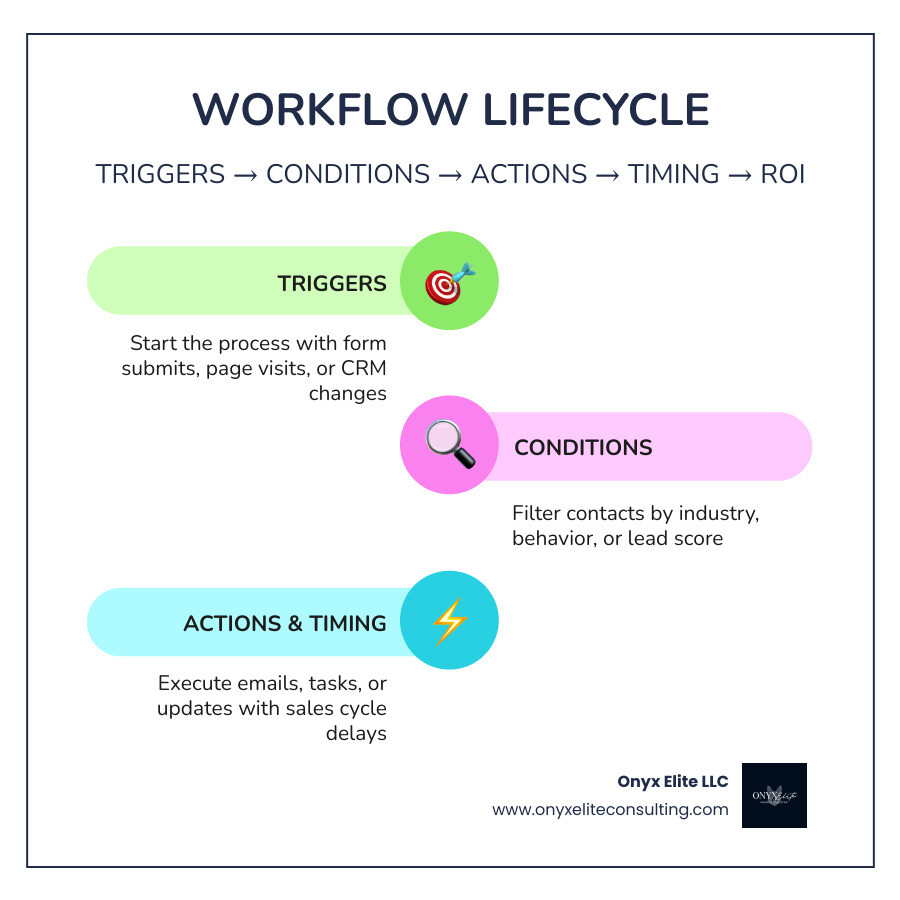
At its heart, every automated system we build for our clients in West Hartford and beyond relies on a simple "If-This-Then-That" logic. However, sophisticated marketing automation is actually just several of these simple steps stacked together. To master your marketing automation workflow setup, you must understand the four pillars: Triggers, Conditions, Actions, and Timing.
- Triggers: These are the "dominoes" that start the process. A trigger can be a form submission, a website visit to a specific pricing page, or even a change in a CRM property.
- Conditions: Think of these as the filters. Not every lead who triggers a workflow should receive the same treatment. Conditions allow you to branch your logic—for example, sending a different message to a CEO than you would to a junior manager.
- Actions: This is the work being done. It includes sending an email, sending a Slack notification to your sales team, or updating a contact's lifecycle stage.
- Timing: This is the secret sauce. Triggered emails are 59% more likely to be opened than standard time-based blasts because they arrive when the lead is actually engaged.
For a deeper dive into how these pieces fit your specific tech stack, check out our guide on Marketing Automation Integration. You can also explore A Practical Guide to Workflow Marketing Automation for more logic-mapping tips.
Defining Enrollment Triggers and Re-enrollment Logic
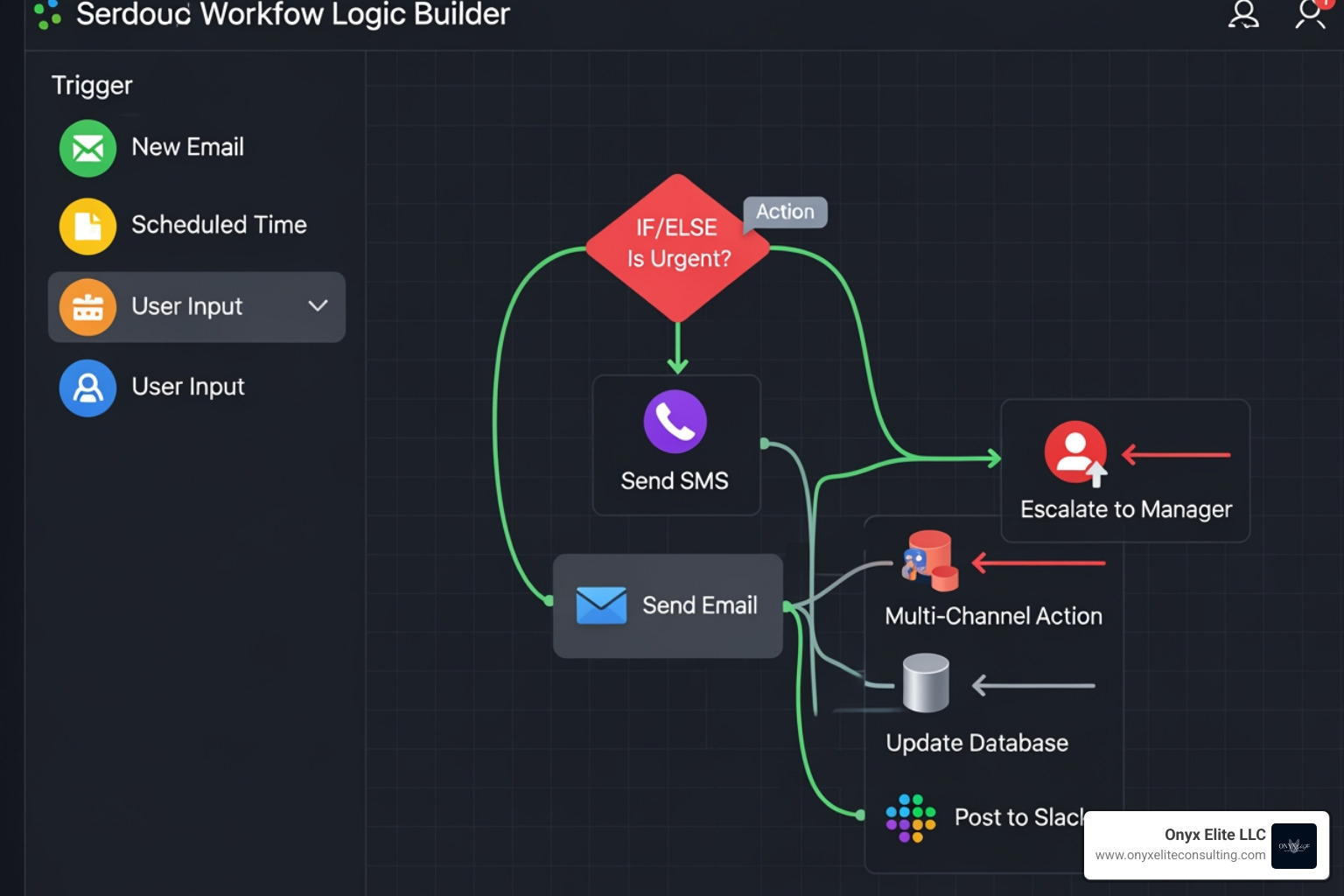
The most common mistake we see during a marketing automation workflow setup is messy enrollment logic. If your entry guardrails are too loose, you’ll spam the wrong people; if they’re too tight, your "growth engine" will never start.
We categorize triggers into four main types:
- Filter-based: Enrolls records that meet specific criteria (e.g., "Industry is Manufacturing").
- Event-based: Enrolls based on a specific action (e.g., "Clicked a link in yesterday’s newsletter").
- Schedule-based: Great for recurring tasks like monthly check-ins or anniversary rewards.
- Webhook-based: For advanced users, this allows external apps to tell your marketing software to start a workflow.
Re-enrollment is equally critical. Should a customer go through your "Cart Abandonment" flow every time they leave an item behind? Usually, yes. Should they go through your "Welcome Series" every time they download a new PDF? Probably not. You must explicitly toggle re-enrollment settings to ensure a seamless user experience.
Leveraging AI for Advanced Marketing Automation Workflow Setup
By May 2026, AI has moved from a "nice-to-have" feature to the central nervous system of automation. We are no longer just building static branching trees; we are deploying "agentic AI" that can read context and choose the next best action.
Tools like HubSpot’s Breeze Assistant allow you to build entire structures using natural language prompts. Instead of dragging and dropping every node, you can simply type: "Create a 5-step nurture sequence for leads who visited our pricing page twice but haven't booked a demo."
AI also solves the "timing" problem through predictive send times. Rather than guessing that Tuesday at 10 AM is best, the AI looks at when each individual person historically opens their email and hits their inbox at that exact moment. For more on the latest 2026 trends, see these Marketing Automation Workflows: 10+ Templates 2026 | Arahi AI.
Step-by-Step Guide to Building Your First Workflow
Before you touch a single piece of software, you need a plan. At Onyx Elite LLC, we always tell our clients: strategy must precede tools. If you automate a broken process, you just break things faster.
- Goal Definition: What is the "Win"? Is it a trial signup, a recovered cart, or a scheduled consultation?
- Customer Journey Mapping: Sketch this out on a whiteboard or paper first. Identify the "wrong turns" a customer might take and where the automation should step in to guide them back.
- Asset Preparation: Don't try to build the workflow while you're still writing the emails. Have your forms, landing pages, and email copy ready to go.
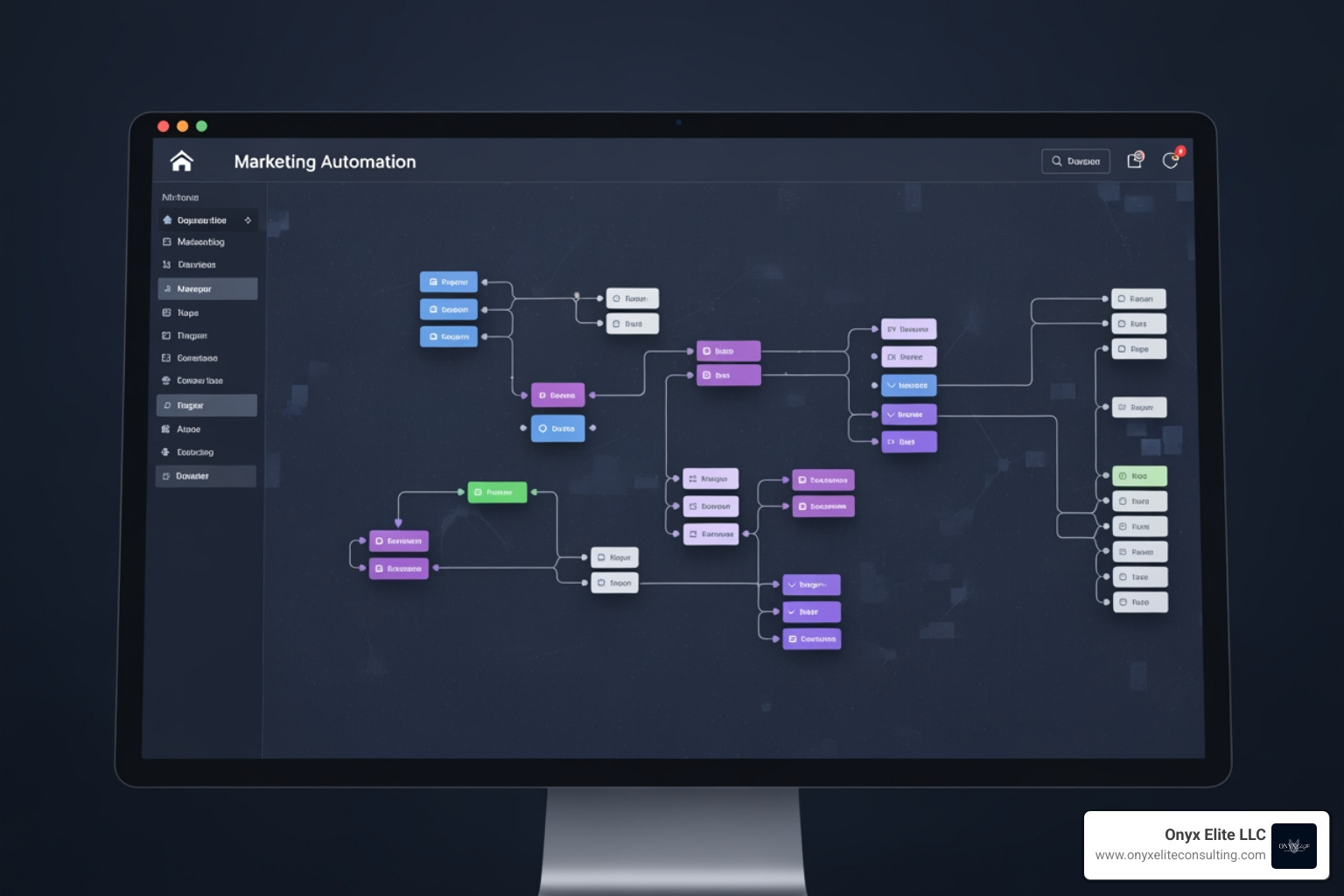
When you're ready to build, use a "minimap" view if your platform offers it. This helps you navigate large-scale architectures without getting lost in the weeds. For a beginner-friendly walkthrough, Build Your First Marketing Automation Workflow is an excellent resource.
From Scratch vs. AI-Generated Templates
You generally have three paths when starting your marketing automation workflow setup:
- From Scratch: Best for unique, proprietary business processes.
- AI-Generated: Use prompts to let the software build the skeleton, which you then refine.
- Templates: Use battle-tested sequences for common needs like "Welcome Series" or "Webinar Follow-up."
A pro tip we use at Onyx Elite: utilize placeholder actions. These are temporary steps that allow you to map out the entire logic flow even if the final email or form isn't finished yet. It’s like framing a house before you pick out the wallpaper.
Configuring Settings for a Seamless Marketing Automation Workflow Setup
The "Settings" tab is where most people get into trouble. To avoid "automation rot" or "message fatigue," pay close attention to:
- Unenrollment Triggers: If a lead buys your product, they should immediately be removed from the "Nurture" workflow. Nothing kills a brand's credibility faster than sending a "Please buy this" email to someone who just bought it ten minutes ago.
- Frequency Caps: Set rules so no single contact receives more than, say, three automated messages per week.
- Suppression Lists: Ensure competitors or existing partners are excluded from specific promotional flows.
- Data Retention: Know your platform's limits. Many tools only store detailed action logs for 90 days, though enrollment history may last longer.
For specific technical steps within the world's leading CRM, see our guide on HubSpot Marketing Automation Setup.
High-Impact Workflow Examples for B2B and B2C
The goals of a marketing automation workflow setup differ significantly depending on your business model. B2B is a marathon; B2C is often a series of sprints.
| Feature | B2B Workflow Focus | B2C Workflow Focus |
|---|---|---|
| Primary Goal | Lead Qualification & Sales Handoff | Immediate Conversion & Retention |
| Key Triggers | Whitepaper downloads, Webinar attendance | Cart abandonment, Browsing history |
| Typical Logic | Lead scoring based on job title/fit | Personalization based on past purchases |
| Success Metric | MQL-to-SQL Conversion Rate | Revenue per Recipient (RPR) |
Lead Nurturing and MQL-to-SQL Handoff
In the B2B world, the "hand-off" from marketing to sales is where most leads die. Automation fixes this by using Lead Scoring. You can assign points for every action a lead takes. Once they hit a "Hot Lead" threshold, the workflow can:
- Rotate the lead among your sales team.
- Create a task in the CRM for a follow-up call.
- Send an internal Slack notification to the rep with the lead's recent activity.
This ensures your sales team is only talking to people who are actually ready to buy, potentially reducing your sales cycle length by 20%.
Retention, Win-Back, and Loyalty Campaigns
For B2C and SaaS companies, the gold is in the "Post-Purchase" phase. Increasing customer retention by just 5% can increase profits by 25% to 95%.
A "Win-Back" campaign is a classic example. If a customer hasn't purchased in 90 days, trigger a "We Miss You" sequence with a unique discount code. These campaigns typically see open rates around 12%—which might sound low, but it’s 12% of revenue you had otherwise lost forever.
Best Practices for Testing, Optimization, and ROI Measurement
You wouldn't launch a rocket without a countdown and a checklist. Don't launch your marketing automation workflow setup without testing it.
- Functional Testing: Manually enroll yourself and a few colleagues. Click every link. Check the timing. Does the "If/Then" branch actually work when you don't click the link?
- Logic Validation: Use the "Test" feature in your software to simulate how historical contacts would have moved through the flow.
- A/B Testing: Once the workflow is live, test one variable at a time—subject lines, wait times, or CTA buttons.
Measuring Success with Key Performance Indicators
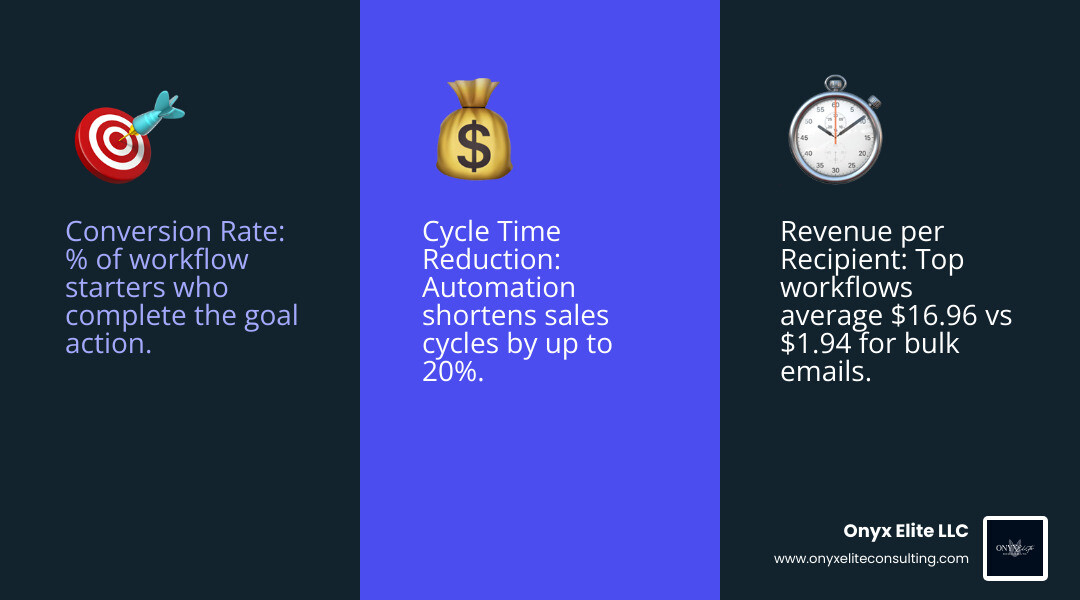
Vanity metrics like "Open Rates" are okay, but they don't pay the bills. To prove the ROI of your marketing automation workflow setup, focus on these:
- Conversion Rate: The percentage of people who started the workflow and completed the goal.
- Revenue per Recipient (RPR): Top-performing workflows can average $16.96 per recipient, compared to a measly $1.94 for standard bulk blasts.
- Cycle-Time Reduction: How much faster are leads moving from "First Touch" to "Closed-Won"?
- Hours Reclaimed: Calculate the time your team used to spend on these manual tasks. If you save 8 hours a week for a team of five, that’s 2,000+ hours a year returned to high-value strategy.
Frequently Asked Questions about Marketing Automation Workflow Setup
How long does it take to see a positive ROI from automation?
Most businesses see a positive ROI within 6 to 12 months. However, high-impact flows like "Abandoned Cart" recovery or "Lead Validation" can show tangible revenue gains in as little as 30 to 60 days.
Do I need technical coding skills to build complex workflows?
In 2026, no. Modern platforms are designed for "no-code" or "low-code" use. If you can draw a flowchart and write an email, you can build a workflow. The difficulty is in the strategy and data mapping, not the coding.
What is the difference between a drip campaign and a marketing automation workflow?
A drip campaign is a simple, linear sequence of emails sent on a schedule (e.g., Day 1, Day 3, Day 7). A marketing automation workflow setup is behavioral; it changes based on what the user does. If they click a link, they go down path A; if they ignore it, they go down path B.
Conclusion
Building a marketing automation workflow setup that actually works isn't about having the most expensive software—it's about having the most thoughtful strategy. By focusing on real human behavior and leveraging the power of AI-driven timing and personalization, you transform your marketing from a cost center into a predictable revenue engine.
At Onyx Elite Consulting, we specialize in helping companies in Connecticut and beyond achieve this level of operational excellence. We don't just set up tools; we build sustainable growth systems tailored to your unique brand.
Ready to stop losing hours to manual tasks and start scaling your impact? Achieve operational excellence with our comprehensive services and let's build your blueprint for success together.